
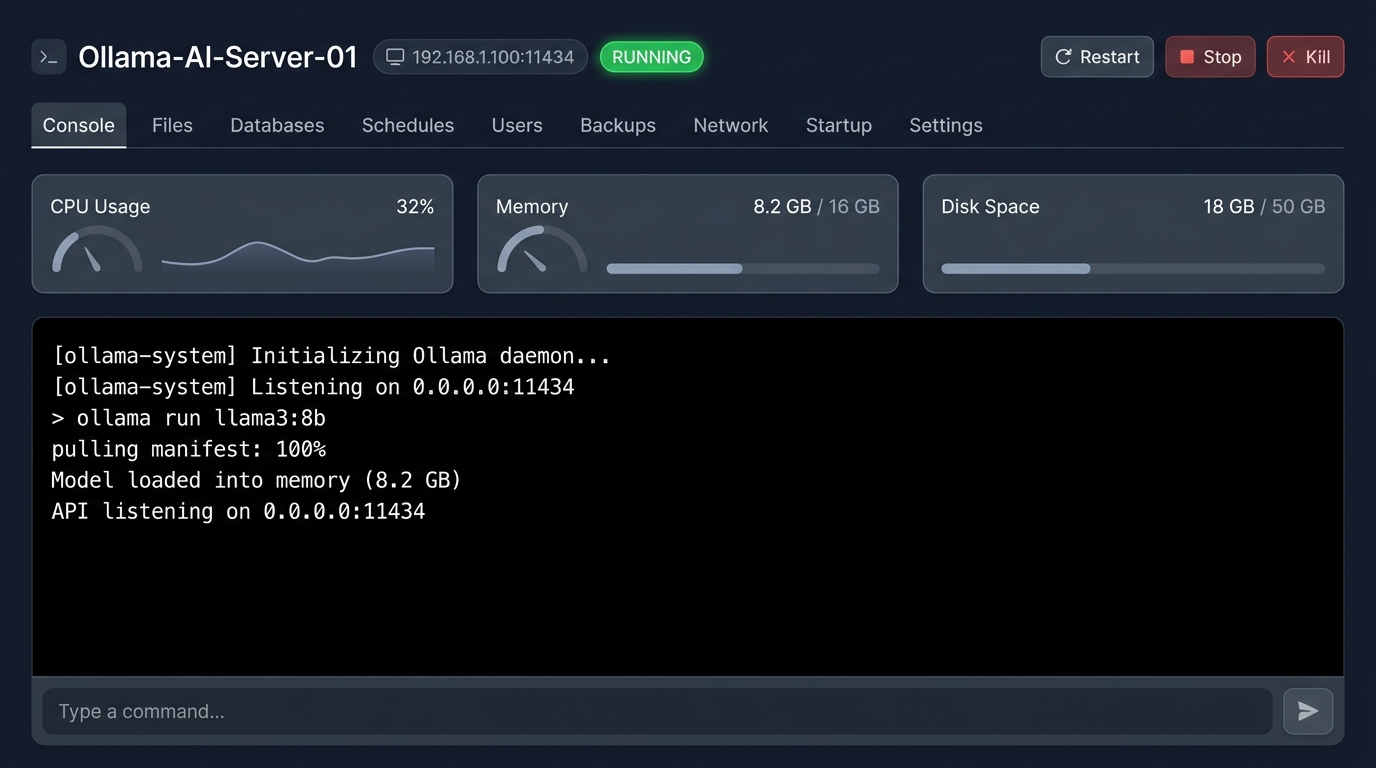
As cloud AI API costs surge and data privacy regulations tighten, developers and organizations are rapidly transitioning to self-hosted, private Large Language Models (LLMs). Running models like Llama 3, Mistral, and Gemma locally gives you total data sovereignty, zero token billing surprises, and offline reliability.
However, managing AI infrastructure via bare-metal command lines can be cumbersome. What if you could manage, restart, monitor, and provision your private AI instances directly inside your familiar Pterodactyl Panel alongside your game servers?
With custom containerization, you can. In this guide, we walk through how to deploy Ollama inside Pterodactyl to unlock enterprise-grade AI hosting with a single click.
1. Understanding the Tech Stack
-
Pterodactyl Panel: The open-source server management panel built on Docker container isolation, fine-grained resource allocations, and intuitive web controls.
-
Ollama: The high-efficiency runtime for running LLMs locally. It packages model weights, configurations, and quantization parameters into an optimized, unified binary.
-
The Bridge: A customized Docker Egg configured to pull, expose, and run Ollama with GPU/CPU acceleration.
2. Deploying the Ollama Pterodactyl Egg
Instead of spending hours writing bespoke Dockerfiles and startup scripts, you can leverage the pre-configured Ollama Pterodactyl Egg available on Devlio.
Step 1: Import the Egg into Pterodactyl
-
Log into your Pterodactyl Administrative panel.
-
Navigate to Nests -> Click Import Egg.
-
Upload the
egg-ollama.jsontemplate. -
Associate it with your target Nest (e.g., "Generic Services" or "AI & Machine Learning").
Step 2: Provisioning an AI Server Instance
-
In the Admin area, navigate to Servers -> Create New.
-
Allocate your server specifications:
-
RAM: Minimum 8 GB for quantized 7B/8B models (16 GB - 32 GB recommended for 13B+ parameters).
-
CPU: 4 to 8 virtual cores (or attach host NVIDIA GPU pass-through if configured).
-
Disk: Minimum 25 GB to allow caching multiple model weights (
GGUFformats). -
Select the Ollama Egg under Server Configuration.
-
Set the default startup model variable (e.g.,
llama3:8bormistral:7b). -
Click Create Server.
# Example startup script executed inside the container environment
#!/bin/bash
export OLLAMA_HOST="0.0.0.0:${SERVER_PORT}"
export OLLAMA_MODELS="/home/container/models"

echo "Starting Ollama Server on port ${SERVER_PORT}..."
ollama serve &

# Wait for daemon initialization
sleep 4

echo "Pulling configured model: ${STARTUP_MODEL}..."
ollama pull ${STARTUP_MODEL}

wait
3. Connecting External Applications to your Pterodactyl AI Server
Once the server status indicator switches to green inside Pterodactyl, Ollama exposes a standard OpenAI-compatible REST API on your server's assigned IP and port.
Python Integration Example
You can connect your Python bots, automated agents, or web applications immediately:
import requests

OLLAMA_ENDPOINT = "http://your-server-ip:assigned-port/api/generate"

payload = {
    "model": "llama3:8b",
    "prompt": "Explain the advantages of self-hosted LLMs in three bullet points.",
    "stream": False
}

response = requests.post(OLLAMA_ENDPOINT, json=payload)
data = response.json()

print(data.get("response"))
LangChain & WebUI Compatibility
Because Ollama adheres to standard HTTP schemas, you can connect your Pterodactyl Ollama instance directly as a custom model provider in:
-
Open WebUI (formerly Ollama WebUI): Provides a ChatGPT-style browser interface for your team.
-
Discord AI Bots: Give your community chat bots zero-latency, free AI intelligence.
-
VS Code & Cursor Extensions: Use your own server for local code completion.
4. Key Performance Tuning Tips
-
Quantization Level: Default to
Q4_K_Mquantization. It reduces VRAM/RAM consumption by up to 60% with virtually indiscernible loss in reasoning capability. -
Context Window Sizing: Adjust the
num_ctxparameter based on your available memory. Setting context length to 8192 tokens requires approximately 1.5 GB additional RAM. -
Container Storage Mounting: Ensure the
/home/container/modelsdirectory persists across server restarts so large model weights aren't re-downloaded on every reboot.
Conclusion
Hosting private AI models doesn't have to require dedicated DevOps teams or complicated Kubernetes setups. By marrying the simplicity of Pterodactyl with the efficiency of Ollama, anyone can spin up scalable, isolated AI backends in minutes.
Get started by grabbing the Ollama Pterodactyl Egg and take complete control of your AI infrastructure today.
Discussion & Comments (0)
Leave a Comment
No comments yet. Be the first to share your thoughts!