
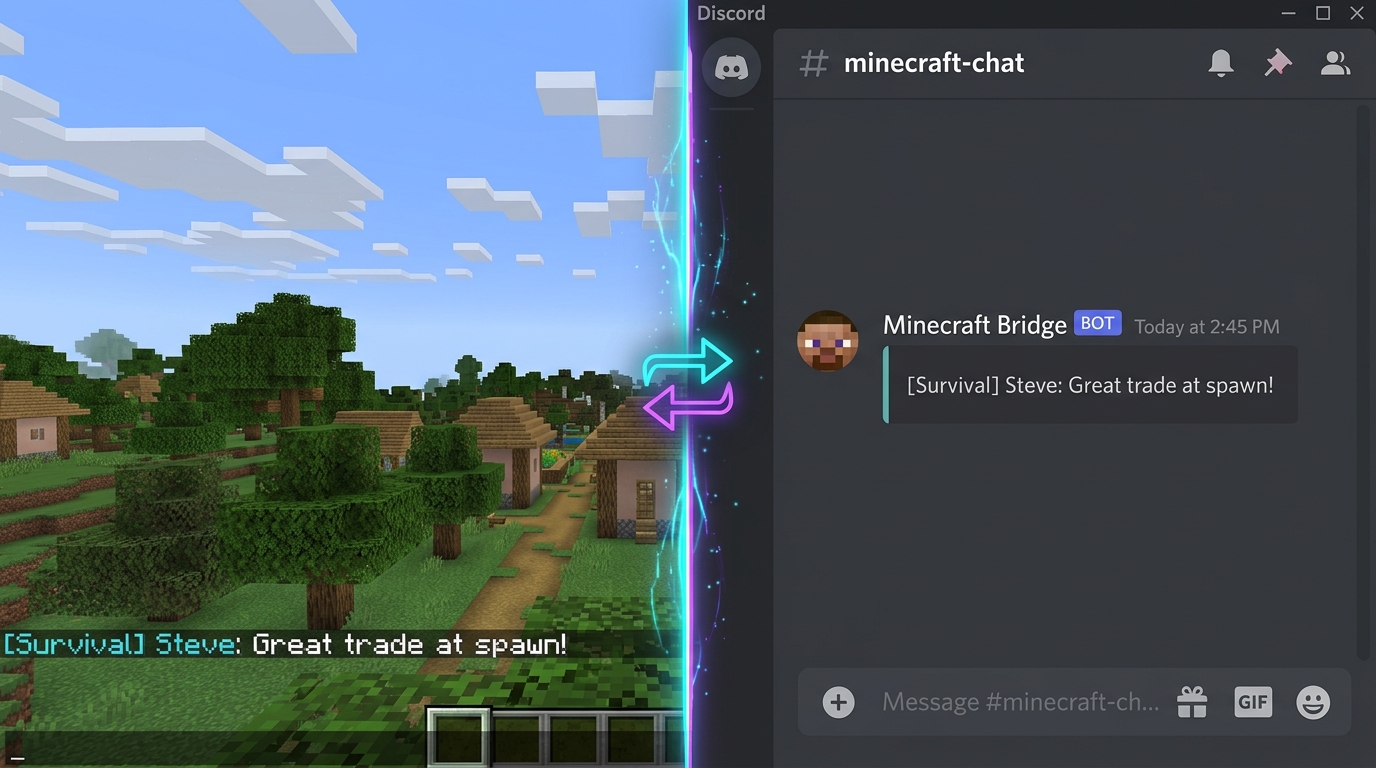
The most active, loyal Minecraft communities in 2026 share one defining characteristic: their in-game world and their Discord server feel like a single unified ecosystem.
When players can converse with in-game factions while away on their phones, check server leaderboards via Discord slash commands, and receive instant trade alerts when items sell on the auction house, server retention skyrockets.
In this hands-on tutorial, we walk through how to construct an interactive, bi-directional Minecraft-Discord bridge that engages players both inside and outside the game.
1. The Anatomy of an Enterprise Minecraft-Discord Bridge
A truly seamless integration requires three interconnected layers:
-
The Outbound Webhook Layer: Catches in-game events (player joins, deaths, advancements, chat messages) and formats them into rich Discord Embeds.
-
The Inbound Command Gateway: Allows Discord users to execute permission-controlled commands (e.g.,
/playerinfo <username>,/whitelist, or/serverstatus). -
The Live Chat Relay: Bridges Discord text channels with Minecraft chat in sub-second real time without lagging the main game tick loop.
2. Deploying SoulvenDiscord: The Unified Bridge Engine
Rather than stitching together multiple conflicting plugins and unverified bot scripts, deploying SoulvenDiscord delivers an all-in-one bridge built natively for modern Paper and Spigot environments.
Core Capabilities
-
Sub-Second Webhook Broadcasts: Translates in-game chat, death events, and achievements into styled Discord messages using player avatars dynamically fetched from Mojang APIs.
-
Interactive Slash Commands: Members can type
/lookup <player>in Discord to view real-time playtime, health, balance, and last-seen coordinates. -
Zero Main-Thread Blocking: Built asynchronously from the ground up to prevent tick lag during intense chat wars or mass player joins.
# SoulvenDiscord configuration snippet: Webhook styling
discord:
  bot_token: "YOUR_DISCORD_BOT_TOKEN"
  guild_id: "123456789012345678"
  chat_channel_id: "876543210987654321"

webhooks:
  chat:
    enabled: true
    url: "https://discord.com/api/webhooks/your/webhook/url"
    avatar_url: "https://mc-heads.net/avatar/{player_uuid}/64"
    format: "**{player_name}**: {message}"
  events:
    joins: true
    leaves: true
    deaths: true
    advancements: true
3. Designing Visually Stunning Discord Webhook Alerts
Default Discord webhooks look plain and uninspired. If you are announcing server maintenance, weekly crate resets, or leaderboards, clean formatting makes all the difference.
You can compose, preview, and test complex Discord Embeds before broadcasting them by using the Discord Webhook Website tool.
-
Build multi-field embed cards with color pickers and thumbnail previews.
-
Include interactive component buttons and markdown formatting.
-
Send test payloads with a single click to ensure perfect visual appeal on both desktop and mobile Discord clients.
4. Economy Synergy: Bridging the In-Game Auction House to Discord
One of the most effective retention drivers is economic engagement. When players list a rare Netherite God Sword on your server's auction house, they shouldn't have to stay logged in for hours wondering if it sold.
Integrating SoulvenAuction creates an automated trade alert pipeline:
-
Discord Marketplace Feed: Every time a player lists an item in-game, SoulvenAuction can fire a rich embed into your Discord
#auction-housechannel displaying the item name, enchantment list, price, and seller name. -
Purchase Notifications: Buyers and sellers receive instant confirmation alerts, encouraging buyers to log in and claim their items immediately.
-
PlaceholderAPI Compatibility: Display active auction counts directly in your Discord bot status message.
Summary Integration Checklist
-
[x] Configure dedicated Discord channels for
#server-chatand#market-feed. -
[x] Set up an asynchronous webhook bridge with custom player skin avatars.
-
[x] Restrict administrative server commands (
/whitelist,/restart) to senior staff role IDs. -
[x] Connect in-game economy and trade feeds to notify players on mobile devices.
Unifying your server and Discord is the highest-ROI investment you can make in your community's longevity.
Explore the complete Devlio Creator Marketplace to equip your network with verified, high-performance tools designed to engage players on every platform.
Discussion & Comments (0)
Leave a Comment
No comments yet. Be the first to share your thoughts!